Know where the money went. Write it down.
Kakeibo Ledger is a private money journal built on kakeibo (家計簿), the Japanese household ledger from 1904. Plan the month, write down every expense in four boxes, and look back honestly at the end.
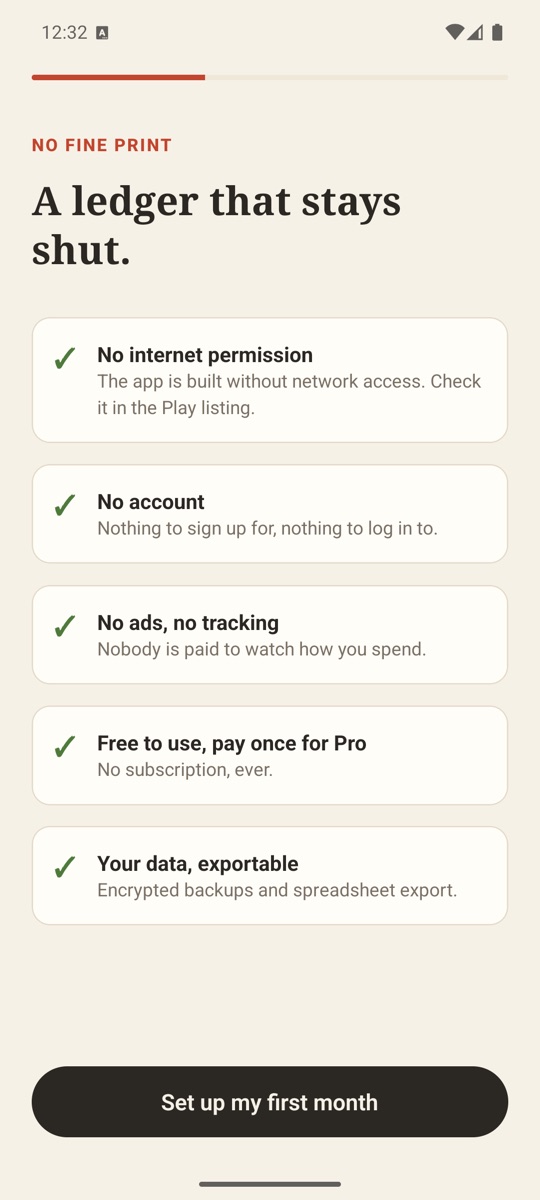
- No internet permission: it can't go online
- No bank sync, no account, no ads
- Encrypted backups you keep wherever you like
- Free, or pay once for Pro. No subscription
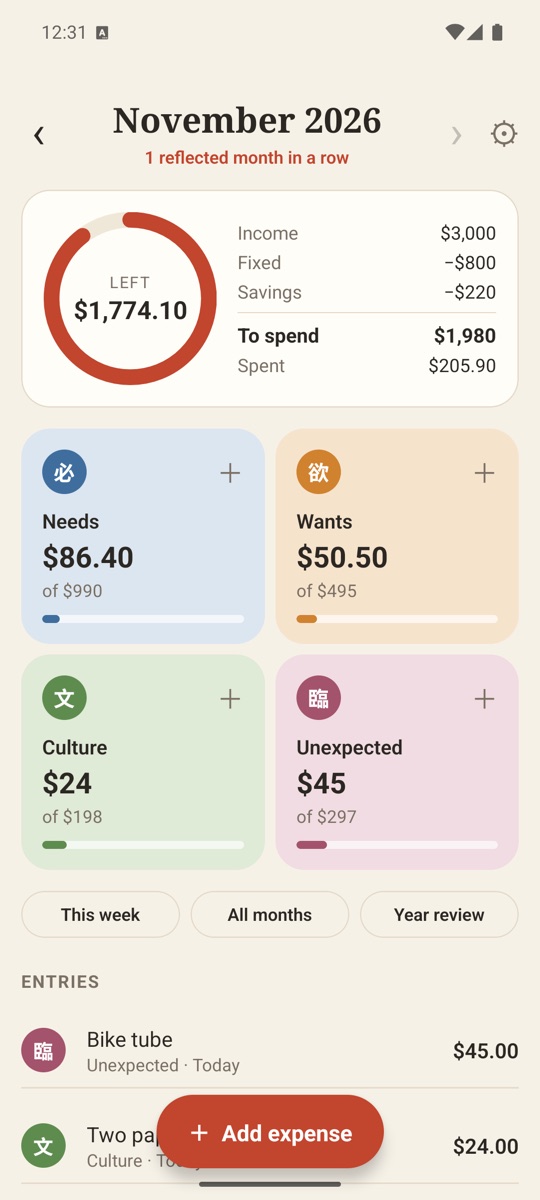
Plan. Write. Reflect.
The three steps of kakeibo, and nothing else. Setup takes about a minute and there's nothing to link.
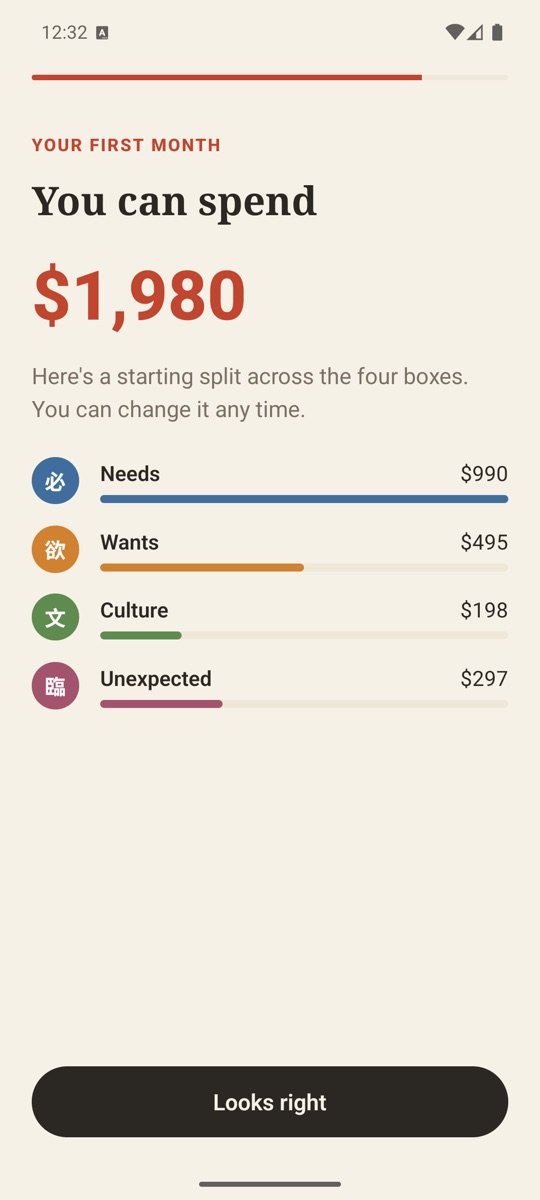
Plan the month
Enter your take-home pay, your fixed costs and what you want to save. The app works out what's left to spend and suggests a split across the four boxes. Next month starts from this one.
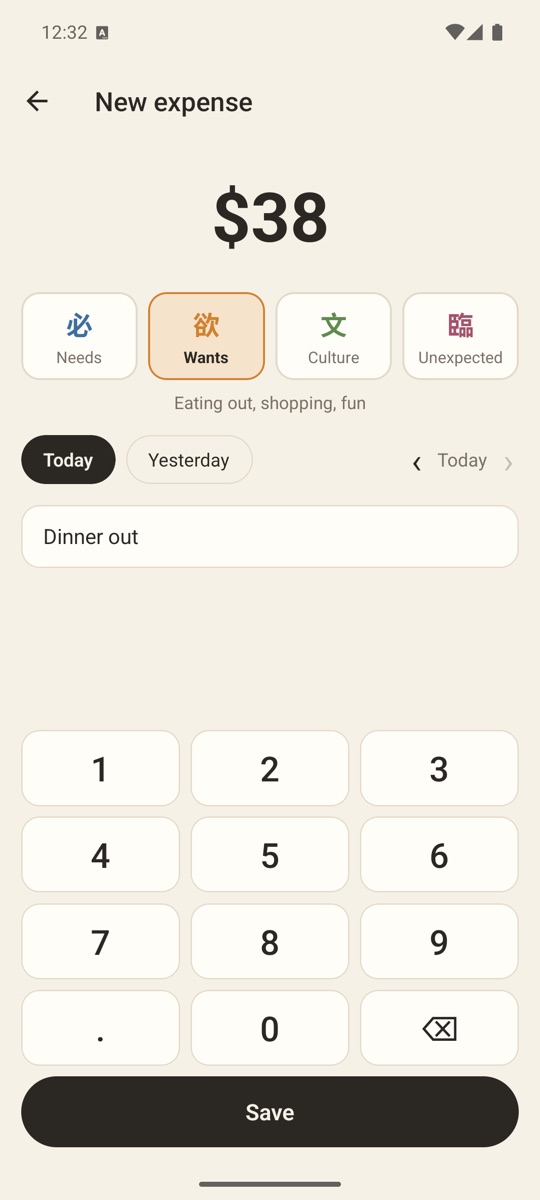
Write it down
Tap a box, type the amount, tap Save. Two taps for most expenses, with an optional note. Typing it yourself is the point: it's what makes you notice.
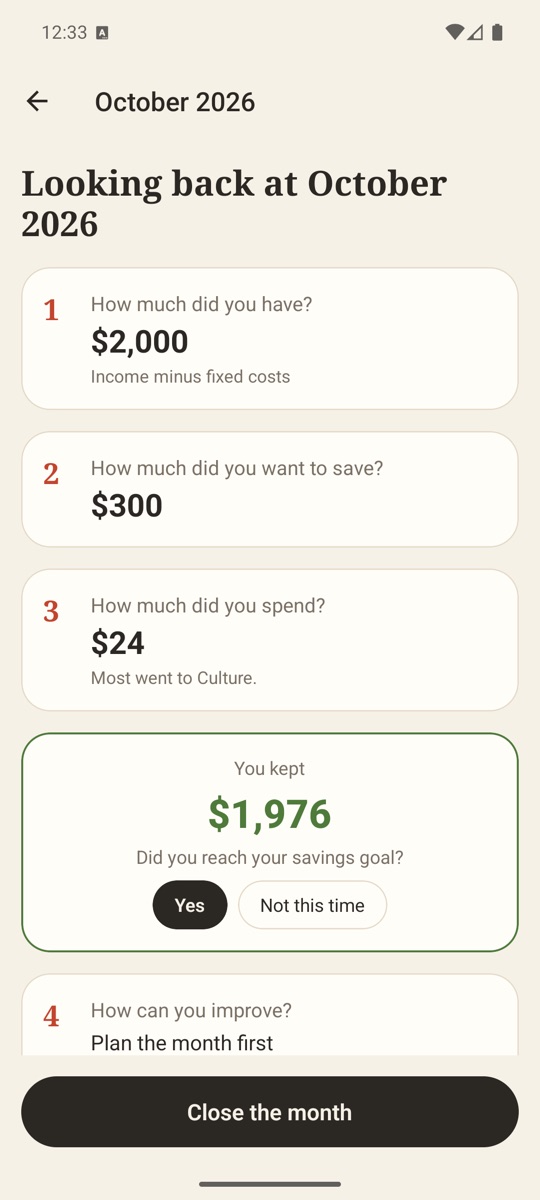
Reflect at month end
The four kakeibo questions, with the numbers already filled in. You write the one thing you'll change, and your streak of reflected months grows.
Every expense goes in one of four boxes.
No sub-categories to manage. Each box shows what you've spent against what you planned, so you can see at a glance which one is running hot.
Needs
Rent, groceries, bills, transport. What you'd pay for in any month.
Wants
Eating out, shopping, fun. Nice to have, and where most months go over.
Culture
Books, courses, museums, hobbies. Spending that makes you more you.
Unexpected
Repairs, medical, gifts. The things no plan sees coming.
Four questions. One honest look back.
- How much did you have?
- How much did you want to save?
- How much did you spend?
- How can you improve?
When a month ends, Kakeibo Ledger asks you to close it. It fills in the first three answers from your plan and your entries; the fourth is yours. Next month, your note is right there when you plan.
A ledger, not a dashboard.
Made for people who want to understand their spending, not outsource it to an app that reads their bank account.
A plan in a minute
Income, fixed costs and savings in, a spending budget out. Adjust the split between boxes if the suggestion doesn't fit your life.
Big, fast keypad
Built for one hand at the till. Today and Yesterday shortcuts, any past day in the month, and a note if you want one.
Sunday check-in
An optional weekly reminder shows your week against the plan, so a bad week doesn't become a bad month.
Streaks that mean something
The streak counts months you've reflected on, not days you opened the app.
20 currencies
Dollars, euros, pounds, yen, rupees and more, with the right decimals for each.
Encrypted backups, free
Your whole ledger in one file, encrypted with a passphrase you choose. Save it to Drive, email or Files, and restore it on any phone.
No internet permission. Check for yourself.
Most budget apps want your bank login. Kakeibo Ledger doesn't even ask Android for permission to use the internet, so it can't send your numbers anywhere. You can see this in the app's permission details on Google Play.
There's no account, no analytics and no ads. Your ledger is stored in the app's private storage, kept out of Android's cloud backup, and deleted if you uninstall.
Read the full privacy policy.
Free to use. Pay once if you want more.
The whole kakeibo method is free. Pro is a single purchase, not a subscription, and there are no ads in either.
- Monthly plan and four boxes
- Unlimited entries
- Month-end reflection and streak
- Sunday check-in
- Last 3 months of history
- Encrypted backup and restore
- Everything in Free
- Unlimited history
- Year in review
- App lock with fingerprint, face or PIN
- Spreadsheet (CSV) export
- Ink (dark) and Matcha themes
Prices are set in US dollars; Google Play shows the price in your local currency. New users see a first-day price for 24 hours after installing.
Questions
What is kakeibo?
Kakeibo (家計簿, "household ledger") is a Japanese budgeting method first published by Hani Motoko in 1904. At the start of the month you note your income, fixed costs and savings goal. During the month you write down every expense; the popular modern version uses four categories: needs, wants, culture and unexpected. At the end of the month you answer four questions: how much you had, how much you wanted to save, how much you spent, and how you can improve.
Does Kakeibo Ledger connect to my bank?
No. There is no bank sync, receipt scanning or import. You type each expense yourself, which is the point of kakeibo: writing it down is what makes you notice where the money goes.
Can the app really not go online?
Yes. Kakeibo Ledger doesn't ask Android for the internet permission, so it can't open a network connection. You can check this in the app's permission details on Google Play. Purchases still work, because the app asks the Google Play app on your phone, and Google Play does the talking to Google.
How do I back up my ledger?
In Settings, choose Backup and pick a passphrase. The app encrypts your whole ledger with AES-256-GCM and opens Android's share sheet, so you can save the file to Google Drive, email it to yourself or keep it in Files. Restore reads the file back on any phone. Backups are free. Without the passphrase nobody can open the file, including us.
Is Kakeibo Ledger free?
The whole method is free, with the last 3 months of history and encrypted backups. Pro is a single one-time purchase of US$7.99, not a subscription. It adds unlimited history, a year in review, app lock, CSV export and two extra themes. There are no ads.
Which currencies does it support?
Twenty, including the US, Canadian, Australian and New Zealand dollars, the euro, the pound, the yen and the rupee. You pick one when you start and can change it in Settings.
Is there an iPhone version?
No. Kakeibo Ledger is available for Android 8.0 and later.
New to kakeibo?
Plain-English guides to the method, from the team that makes the app.