The study timer that starts when you flip your phone.
Put your phone face down and the timer runs. Pick it up and the clock stops. Flip to Focus turns "I'll just check one thing" into a choice you can see.
- No ads, no account, no data collection
- Do Not Disturb turns on automatically
- Screen goes dark while you work, so it saves battery
- 30 days free, then one payment — no subscription
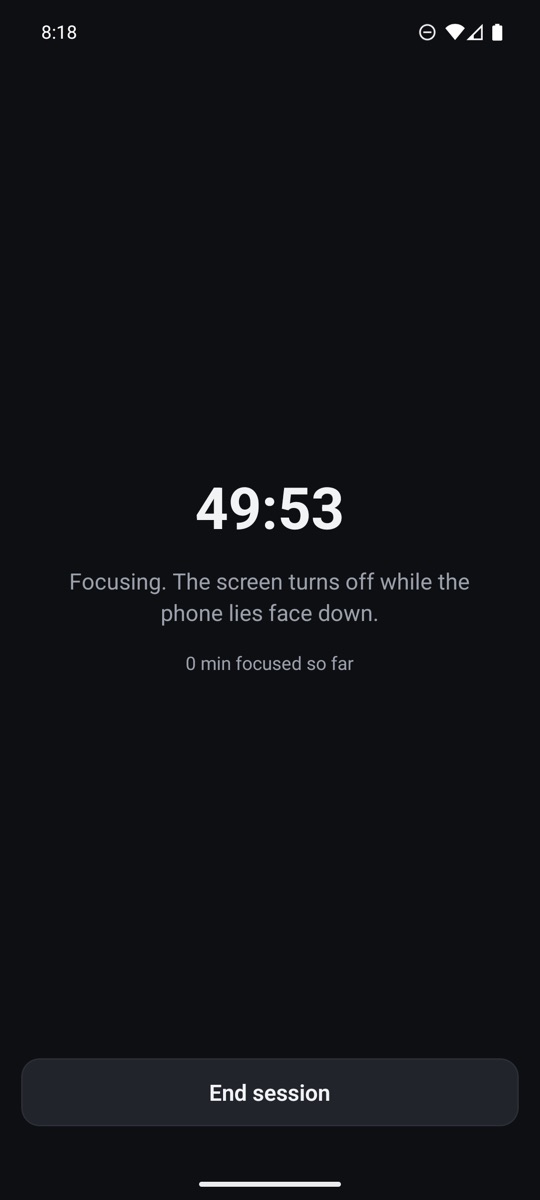
Three steps. No setup, no sign-up.
Flip to Focus uses your phone's motion sensor to tell when the screen faces the desk, so the only thing you have to do is put it down.
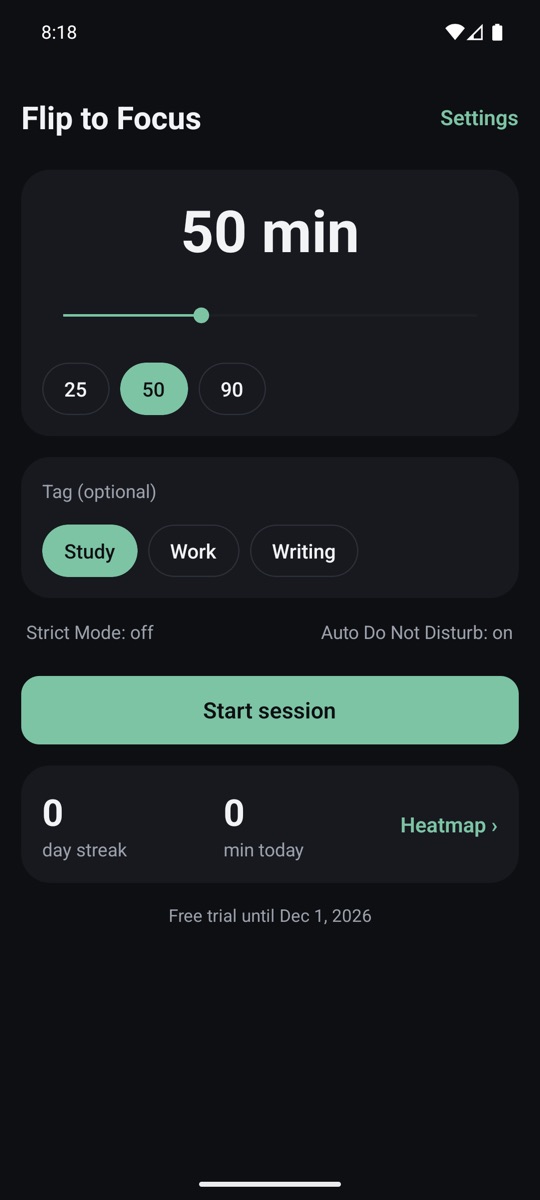
Pick a session length
Anywhere from 15 to 120 minutes, or tap a preset. Tag it Study, Work or Writing if you like.
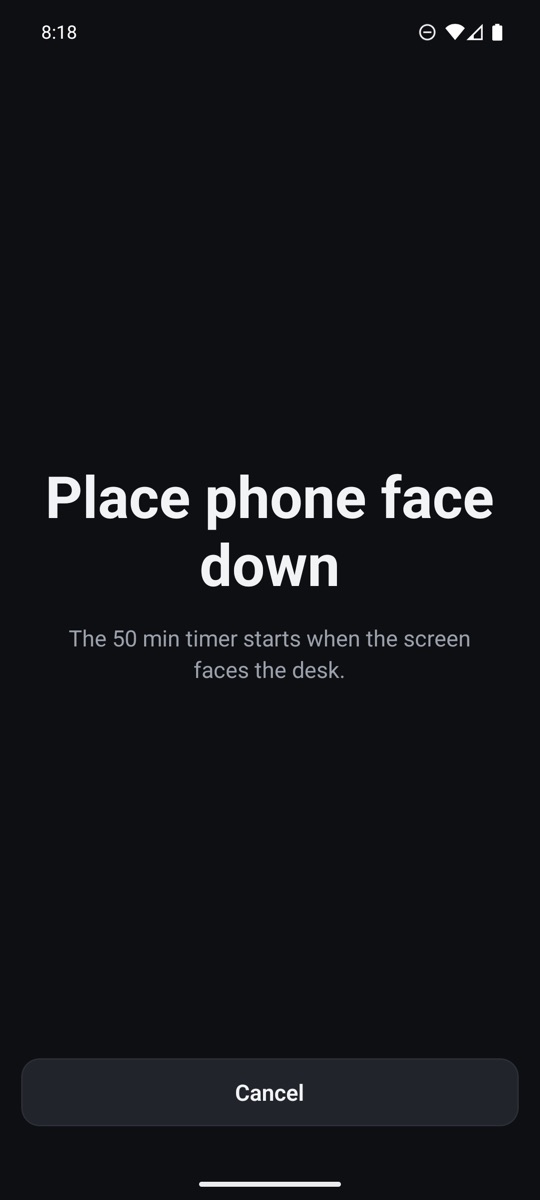
Flip your phone face down
The timer starts the moment the screen faces the desk. The display switches off and notifications go quiet.
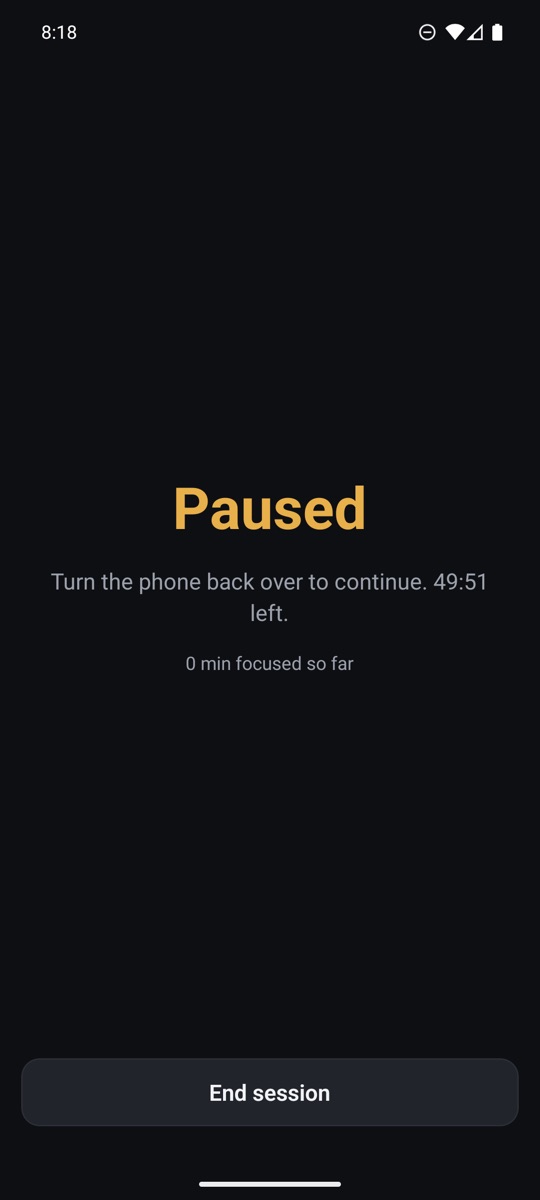
Pick it up and it pauses
Lift the phone and the clock stops until you turn it back over. With Strict Mode on, more than 10 seconds ends the session.
Everything a focus timer needs. Nothing it doesn't.
Built for studying, deep work and anyone whose phone keeps pulling them away.
Accurate flip detection
Allows up to 25° of tilt for phone cases and uneven desks, and ignores quick bumps so a nudge doesn't break your session.
Automatic Do Not Disturb
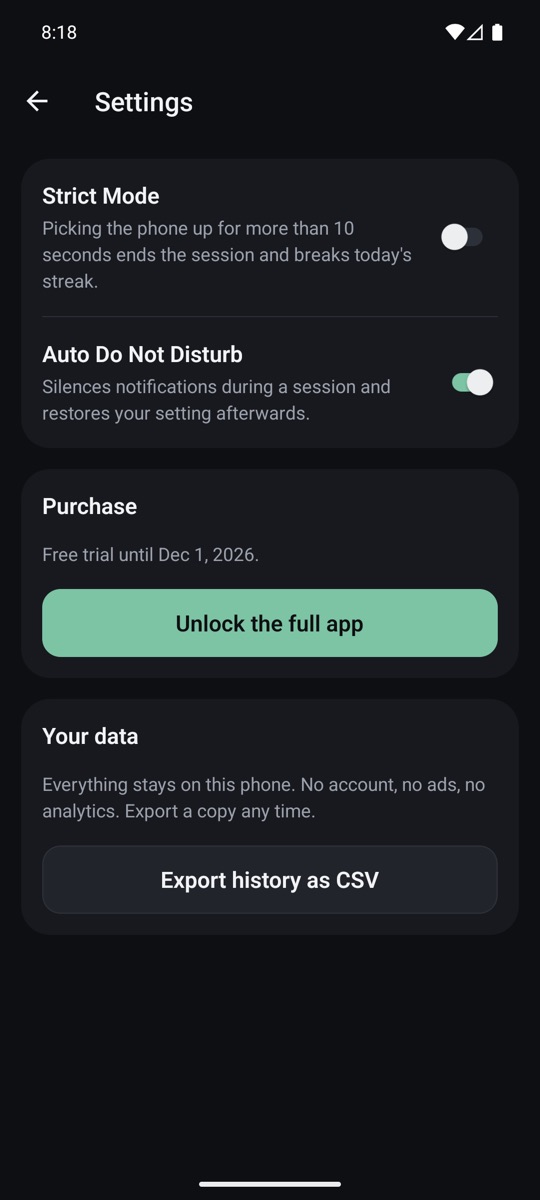
Notifications are silenced for the session and your previous setting comes back when it ends — even if the app was closed.
Strict Mode
Optional. Pick the phone up for more than 10 seconds and the session ends. A strong vibration warns you first.
Streaks and a yearly heatmap
See every day you focused and for how long. Your streak counts days with at least one completed session.
Study time tracker
Every session is logged with its length and tag. Export the whole history as a CSV file for a spreadsheet.
Easy on the battery
The proximity sensor switches the screen off while the phone lies face down, so the timer runs without lighting up the display.
A study timer that doesn't study you.
Many popular study timer apps are free because they show ads, ask you to sign up, or collect your data. Flip to Focus does none of that.
| Flip to Focus | Typical study timer apps | |
|---|---|---|
| Ads | None, ever | Often shown |
| Account | Not needed | Usually required |
| Data collected | None — stays on your phone | Often personal info, activity or location |
| Price | One payment after 30 free days | Premium tiers or subscriptions |
| Do Not Disturb | Automatic | Usually manual |
| Screen while timing | Off, to save battery | Often on or shown as an overlay |
"Typical" describes common patterns among study timer apps on Google Play; check each app's Data safety section for specifics.
Your study time is nobody's business.
Flip to Focus has no servers, no analytics and no account. Your sessions, streaks and settings live on your phone and nowhere else.
Google Play's Data safety label for the app reads: No data collected. No data shared. Read the privacy policy.
Try everything for 30 days. Then pay once.
Every feature is free for your first 30 days. After that, a single one-time purchase keeps you starting new sessions — no subscription, no premium tier, no ads. Your history and heatmap stay free either way.
Questions
How does a flip study timer work?
Set a session from 15 to 120 minutes and turn your phone face down on the desk. Flip to Focus uses the motion sensor to detect that the screen faces down and starts the timer. If you pick the phone up, the session pauses until you turn it back over.
Is Flip to Focus free?
Every feature is free for 30 days. After that, a single one-time purchase keeps you starting new sessions. There is no subscription and no ads. Your history and heatmap stay free either way.
Does Flip to Focus collect my data?
No. There is no account, no analytics and no server. Your sessions are stored only on your phone, and you can export them as a CSV file whenever you want.
Does it work with a phone case or on an uneven desk?
Yes. Face-down detection allows up to 25 degrees of tilt, and a short hold of about 1.5 seconds means bumping the desk does not count as picking the phone up.
Will notifications still buzz while I study?
Not if you allow Do Not Disturb access. Flip to Focus turns Do Not Disturb on when a session starts and restores your previous setting when it ends.
Does it drain the battery?
The screen switches off while the phone lies face down, so a session uses far less battery than a timer that keeps the display on.
Can it help if I have ADHD?
Many people find that putting the phone face down and out of sight makes it easier to stay on task, and Flip to Focus makes that a routine you can track. It is a productivity tool, not a medical treatment.
Is there an iPhone version?
No. Flip to Focus is available for Android 8.0 and later.